Windows & Android Screensaver & Geometry Dash Mod
ORBIT
Inspired by Orbit by Mindcap — extreme demon, GD
Things fall. Balls go into a pit.
OLED burn-in is bad. This helps.
Now on Windows, Android, and inside GD itself.















WHAT EXACTLY is this?
A Windows & Android screensaver where physics-simulated orbs fall and pile up in an endless ball pit.
Also available as a Geometry Dash mod — runs the ball pit directly inside GD using Geode.
Inspired by the ending of Orbit — an extreme demon in Geometry Dash by Mindcap, verified by Zoink.
Built with C++, Box2D physics, OpenGL rendering, and no free time.
Android port uses Kotlin + JNI + EGL/GLES2 — runs as a native Android Dream Service screensaver.
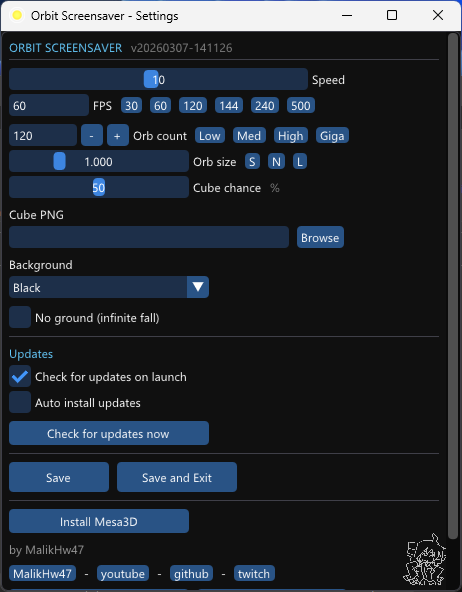
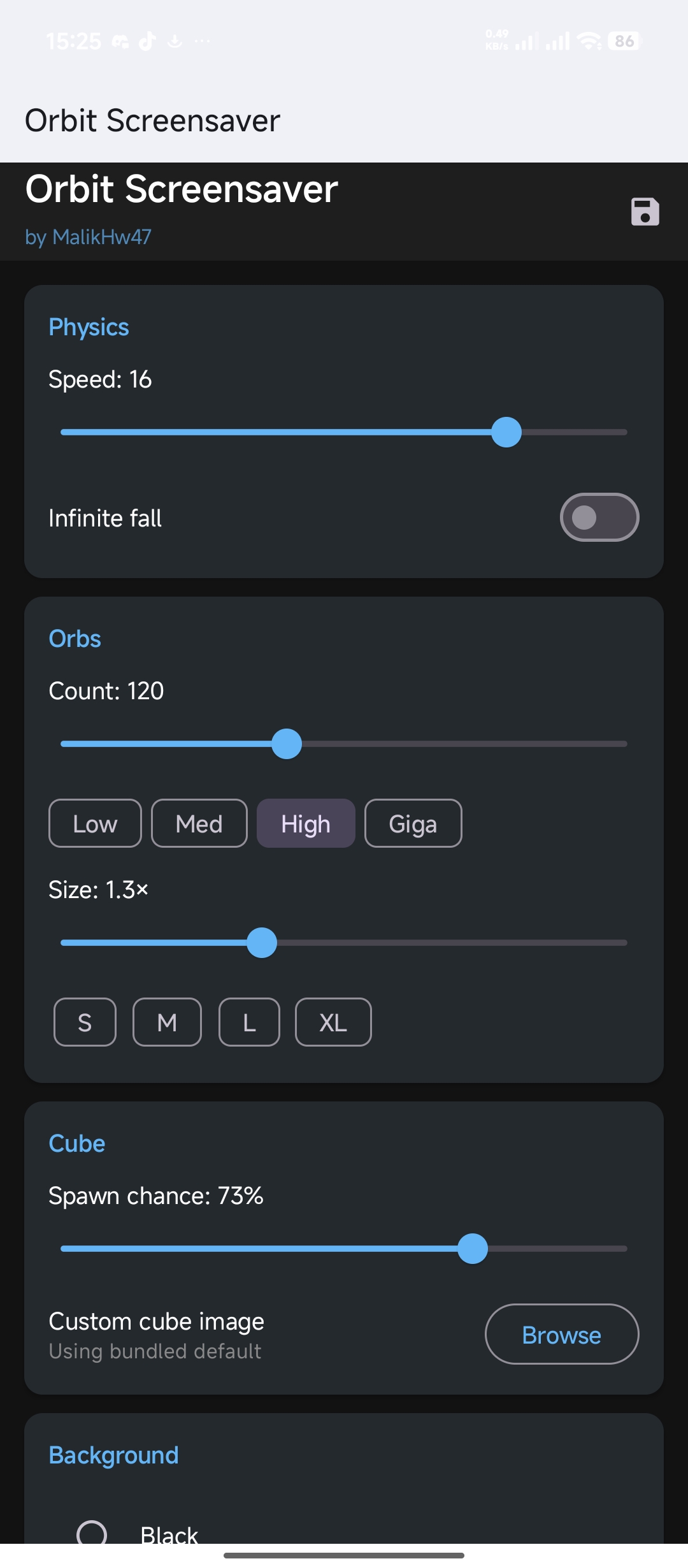
Configurable — orb count, speed, backgrounds, custom textures, FPS cap, and more.
Install the Screensaver
-
01
Download & Extract
Grab the zip above. Extract all files to a folder of your choice.
Recommended:C:\Users\you\orbit\ -
02
Install the Screensaver
Right-click
orbit_screensaver.scrand clickInstall.
Windows sets it as your screensaver automatically. -
03
Configure
Go to
Win+I → Personalization → Lock screen → Screen saverand clickSettings.
Note: Right-clicking the .scr to open Configure is currently broken & being fixed. Use Windows screensaver settings instead.
Software Renderer (Mesa3D) — for low-end PCs or white square issues
1. Open screensaver settings.
2. Click "Install Mesa3D" — downloads automatically.
3. Done. Software OpenGL renderer is now active.
Android Installation
Requires Android 10+ (API 29). Works on Samsung One UI, stock Android, and most skins.
 Geometry Dash — Geode Mod Installation
.geode file using the yellow button above.
.geode file into your Geometry Dash/geode/mods/ folder.
Requires Geometry Dash with Geode installed. Windows & Android GD supported.
See it in action
Frequently Asked Questions
The Basics
What is the ORBIT Screensaver?
A screensaver for Windows and Android, plus a Geometry Dash mod. Orbs spawn at the top of the screen, fall under simulated physics, and pile up in a ball pit at the bottom. It loops forever. That's the whole thing.
What is a screensaver, and do I still need one?
Originally, screensavers existed to prevent burn-in on CRT monitors — a real problem where static images would etch themselves into the screen over time. Modern LCDs don't have the same issue, but OLED panels (increasingly common on phones, laptops, and monitors) can develop image retention from long static content. Beyond that, most people just use screensavers because they look good when the machine sits idle. A moving display beats a black screen or your desktop wallpaper stamped on the lock screen.
Is this free to use?
Yes. ORBIT is open-source under the GPL-v3 license and the source is on GitHub. Download it, use it, modify it — the only condition is that any modifications you distribute must stay open-source under the same license.
The GD Connection
What is Geometry Dash?
Geometry Dash is a rhythm-based platformer where you guide a small icon through obstacle courses synced to music. The base game is simple enough, but the community-built levels are a different story. Players use an in-game editor that has been pushed far beyond its original scope — some levels run 15 minutes, use thousands of objects, and contain art, cutscenes, and physics sequences that have nothing to do with the core gameplay.
What inspired this project?
The level Orbit by Mindcap and more™ ends with a ball pit sequence — dozens of orbs falling into a curved container, bouncing around under physics. It's a short moment in a long level, but it stuck with people(rip). This screensaver is that moment, extracted and looped indefinitely. Nothing more to it, really.
Who are Mindcap and Zoink?
Mindcap built/host the level Orbit. Hdanke created the ball pit sequence inside it. Zoink is the guy who verified the level — meaning they were the first to legit complete it. Orbit is rated Extreme Demon, the highest difficulty tier in the game. Most players who attempt it spend months before completing it.(no records now lol)
What is Geode and how does the GD mod work?
Geode is the mod loader for Geometry Dash — it lets you install and manage community mods safely. The ORBIT Geode mod runs the ball pit simulation directly inside GD, accessible from the mod menu. If you already play modded GD, just drop the .geode file in your mods folder and you're done.
Technical / Troubleshooting
How do I install ORBIT on Windows?
Three steps: download the zip from the button above, extract it somewhere, then right-click orbit_screensaver.scr and click Install. Windows sets it as your screensaver automatically. After that, go to Settings > Personalization > Lock screen → Screen saver to adjust the wait time or open the configuration panel.
Does this work on Android?
Yes. The Android version runs as a Daydream service — Android's built-in screensaver system that activates when the phone is charging and idle. Install the APK, open it, do your changes, then click "Open Screensaver Settings", and select Orbit. Settings like orb count, speed, and background are handled through the Orbit app itself.
Will this slow down or lag my computer?
It shouldn't. Physics run through Box2D and rendering goes through OpenGL, which keeps the load low even on older hardware. There's also an FPS cap in the settings — dropping it to 30 fixes stutter on most machines that show it. If your hardware has no proper OpenGL support at all, the Mesa3D software renderer option is available in the settings panel and handles that case... but MOSTLY, no, cuz it wont run in the background, WINDOWS itself triggers it when pc is idle, same as Android
Credits & Links
Level Creator
Mindcap
Host of "Orbit" — the extreme demon in Geometry Dash that inspired this whole project.
Ballpit Creator
Hdanke
Created the ball pit physics sequence inside the Orbit level.
Verifier
Zoink
Verified Orbit - basically went "OH MY GOD" 24 times.